
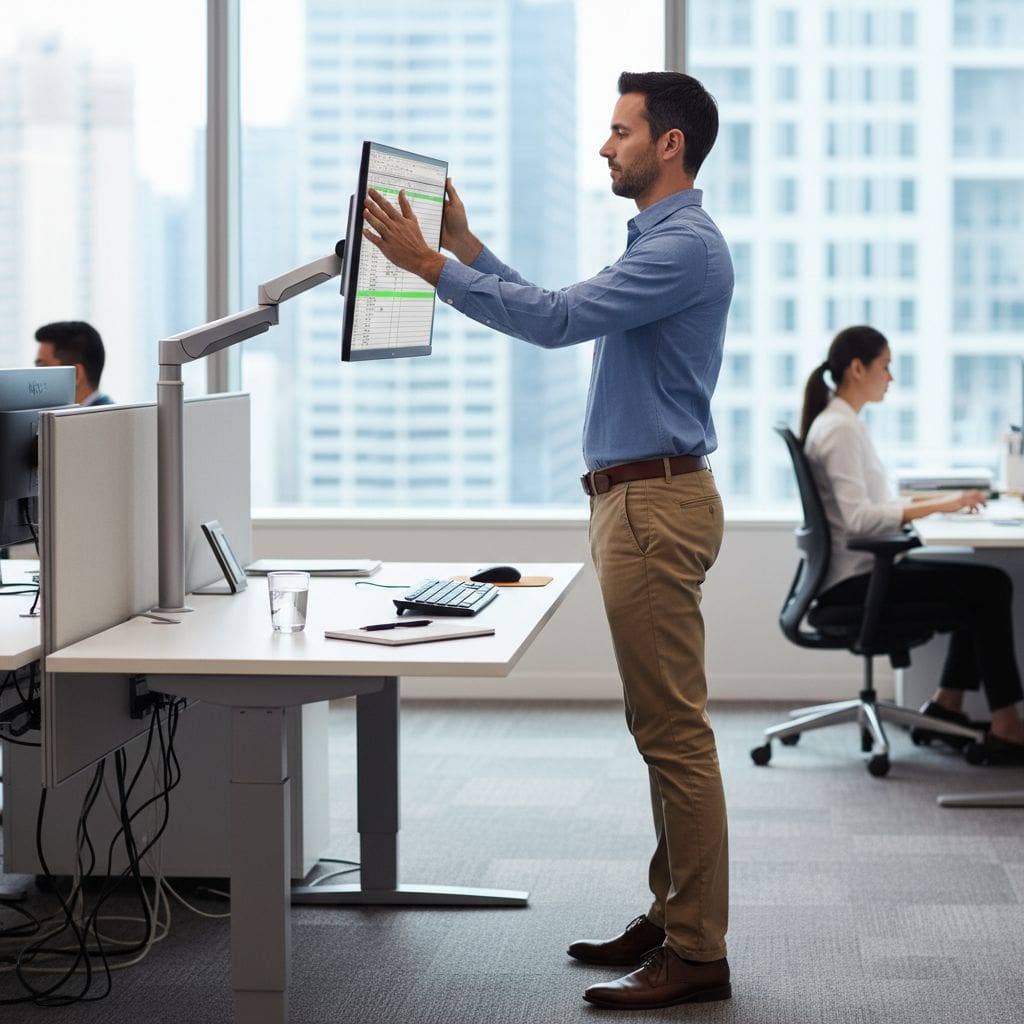
How are Your Office Ergonomics?
Just a few small changes at your desk can totally change how your body feels by the end of the day, and I’ve seen it over and over with office workers in NYC. You don’t need fancy gear – you just need a setup that actually fits you and the way you work. In this post I’ll walk you through simple tweaks you can try today so your neck, back, and shoulders don’t have to fight your workday anymore.
Key Takeaways:
- Small, low-tech changes at the desk – monitor height, chair position, feet on the floor – often beat expensive gear when it comes to easing daily neck, back, and shoulder tension.
- Simple habits like sitting back in your chair, keeping your elbows close, and standing up every 30-60 minutes can stop minor stiffness from quietly turning into real pain.
- On-site or virtual ergonomic coaching that works with people’s existing setup helps teams feel better fast without pushing fancy products or big office overhauls.
Why We Mess Up Our Posture at the Desk
About 80% of the office workers I see each week swear they have “pretty good posture” until we actually watch how they sit. You do the same thing: you start the day upright, then emails pile up, your shoulders creep forward, your neck reaches toward the screen, and by 3 pm you’re basically folded into a C-shape. The problem isn’t that your body is weak or broken, it’s that your desk slowly pulls you into bad positions without you noticing.
The Sneaky Ways We Sit Too Long
Research from the CDC shows a lot of office workers sit more than 10 hours a day, and most of that is without real breaks. You get locked into “just one more email”, a Zoom call runs long, you eat lunch at your desk, and suddenly you haven’t stood up for 90 minutes. Your hips stiffen, your low back switches off, your neck muscles do all the work. By the time you move, your body feels like it aged 5 years in one afternoon.
The Monitor Isn’t as Perfect as We Think
In our Back to Work NYC checks, I’d say at least 7 out of 10 people have their monitor too low or too far away. You tilt your head down just 10-15 degrees for hours, and that tiny angle can double the load on your neck. Laptops on the desk are the worst, because you end up peeking down all day. Even a big, shiny screen doesn’t help if it’s not at your eye level and roughly an arm’s length away.
When I come into an office, I often see the same setup: a nice big monitor parked in the corner of the desk, turned slightly away, sitting just a bit too low. So you twist your body, crane your neck forward, and squint at the top third of the screen because that’s where all your tools live. Over a full week, that weird combo of twisting and leaning shows up as one-sided shoulder pain, headaches that start behind one eye, or that burning line between your shoulder blades. Even simple changes matter – stacking a monitor on 2 or 3 books, pulling it directly in front of you, and lining the top edge with your eye level. Small, boring adjustments, but I see people come back and say their 3 pm neck ache dropped by half just from that.
My Go-To Fixes That Actually Help
One client told me her “new” setup was just a ream of paper under the monitor, a shoebox under her feet, and pushing her chair 2 inches closer – but her headaches dropped from 4 days a week to 1. That’s the level we’re talking about here. Small, almost boring tweaks that quietly change how your neck, back, and hips feel by 3 p.m. Not theory. Just the stuff I’ve seen work again and again in real NYC offices.
Raising Your Monitor – It’s a Game Changer
A few weeks ago I watched a lawyer in Midtown lean toward her laptop like it owed her money, and her neck pain made perfect sense. Once we raised her screen so the top was level with her eyes, she stopped craning forward and her pain dropped from a 7 to a 3 within 10 days. You can stack books, use a box, anything – as long as your eyes hit the top third of the screen when you sit tall.
Feet Flat on the Ground – Seriously, Give It a Try
During our Back to Work NYC sessions, I’ll ask people to flatten their feet and suddenly they say “Wow, my low back feels different already.” When your feet are flat, your weight spreads through your hips instead of dumping into your spine, which is why studies show better back comfort and less fidgeting when knees are at roughly 90 degrees. If your chair’s too high, grab a box, a sturdy package, even a stack of printer paper – it all works.
What surprises most people is how fast this one kicks in. Once your feet land solidly on something, your legs stop dangling, your thighs relax, and your core doesn’t have to work overtime just to keep you upright. I’ve seen people in tiny NYC offices use Amazon boxes, old binders, even a case of copy paper as a footrest. You just want both feet supported, toes pointing roughly forward, knees close to hip height, not shoved way up or way down. Try it for a full day, not just 5 minutes, and notice how your lower back and hips feel at night.
Elbows and Back – The Unsung Heroes of Comfort

You know that feeling when your shoulders are creeping toward your ears by 3 p.m. and your lower back is quietly yelling at you? That’s usually not your chair’s fault, it’s your elbows and back doing all the overtime. When I walk around NYC offices, the people with the worst pain almost always have elbows drifting forward and backs peeling away from the chair. Tiny shifts here can cut tension by 20-30% in a single week.
How to Keep Your Elbows Happy
Start by checking where your elbows land when you’re actually typing, not posing for perfect posture. If they’re more than a fist-width away from your sides or reaching forward for the mouse, your shoulders are doing the heavy lifting. I like your forearms parallel to the floor, wrists neutral, elbows roughly at 90 degrees. Slide your keyboard and mouse closer, drop your chair a notch if needed, and let your armrests just lightly catch your elbows, not shove them up.
Sitting Back in Your Chair Isn’t Just for Lazy Days
Next time you catch yourself perched on the edge of your seat, ask why you’re working harder than your chair. When you sit back so your shoulder blades touch the backrest, your spine gets support instead of strain. I coach people to scoot their hips all the way back, keep a small gap behind the knees, and let the chair take about 70% of the load. In our Back to Work NYC sessions, this single tweak often cuts low back ache in a week or two.
What I see a lot in NYC offices is this weird half-sit, half-hover thing where your spine is doing the job the chair was built for, and after 6 or 7 hours your back is cooked. So I have you slide your hips right to the back of the seat, let your lower back rest into the curve of the chair, then slightly recline the backrest 5-10 degrees so you’re not bolt upright like a statue. You still stay engaged, you can still type fast, but that tiny recline lowers disc pressure and takes a big chunk of stress off your lumbar spine. Over a full workweek, that small change is a big deal.
The Importance of Real Breaks – Are You Taking Them?
Instead of powering through every hour, you actually get more done when you step away on purpose. I encourage patients to use a 30-60 minute timer, stand up for 2-3 minutes, and really leave the keyboard – no scrolling, no quick email. In one study, short activity breaks every half hour cut discomfort scores by up to 40 percent, which is huge. Your body resets, your eyes relax, and you come back with a brain that actually cooperates.
Easy Ways to Get Up and Move
Rather than planning some perfect workout, I want you to think in tiny, repeatable moves. Stand up, walk to the farthest bathroom, refill your water, do 10 slow shoulder rolls, or pace during a phone call. In our NYC office, I see people hit 2,000 extra steps a day just by walking one flight of stairs every break. That kind of low effort rhythm adds up fast for your back, hips, and neck.
How a Few Minutes Can Make a Big Difference
What surprises most people is how fast the body starts to stiffen – studies show spine pressure climbs in as little as 20 minutes of still sitting. When you break that up with a 2-5 minute walk or stretch, blood flow improves, muscles let go, and your nervous system dials down. I’ve watched patients cut their afternoon pain in half just by doing three real breaks: late morning, mid afternoon, and right before they wrap up.
In practice, I see this play out all the time with NYC desk workers who swear they “don’t have time” for breaks. One attorney I worked with started doing a 3 minute hallway walk plus 30 seconds of gentle back bends every hour – nothing fancy – and in 2 weeks her 7-out-of-10 lower back pain dropped to a 3, with no new gear, no injections, nothing. Another patient set a recurring calendar alert, stood up, stretched his chest on a doorway, then sat back down; within a month his daily neck headache streak of 40 days was gone. Those tiny resets interrupt the stress cycle in your muscles, give your discs a chance to rehydrate, and keep your posture from slowly collapsing by 4 p.m. It’s not magic, it’s just consistent, boring, small breaks that your body quietly loves.

Why Your Desk Setup Matters – More Than You Think
Ever since hybrid work took off, I’ve seen more people tweaking their desks… but not always in the right way. When your monitor is 2-3 inches too low, your neck muscles can work up to 3 times harder. If your chair is too high, your lower back and hips pay for it. So your setup is not just about comfort – it quietly decides whether your spine is supported or strained for 8-10 hours a day.
A Simple Setup Can Prevent a World of Pain
In our Back to Work NYC program, I’ve watched shoulder pain drop in under 2 weeks just from raising a laptop on a $15 stand and adding a cheap keyboard. Tiny changes like getting your screen at eye level or keeping your knees at about 90 degrees cut stress on your neck, hips and lower back. It’s not fancy, but it works way better than hoping a new chair magically fixes everything.
The Impact on Your Work Life – Increased Productivity!
Once your desk matches your body, your workday changes fast. Patients tell me they get through email faster, think clearer in afternoon meetings, and stop needing that 3 pm pain pill just to finish a report. Less fidgeting, fewer stretch breaks out of desperation, more focus left for real work.
In one NYC law office I worked with, a team of 20 paralegals adjusted only three things: monitor height, chair depth, and break timing. Within a month, HR reported a 30% drop in pain-related complaints and people were closing files about 10-15 minutes faster per case. You might think that’s small, but stacked over weeks it’s huge. When your back isn’t screaming, you proofread better, you argue your point better on Zoom, you’re not silently counting the minutes till you can lie down. That steady, low-pain workday is what actually boosts your productivity, not another app or time hack.
My Take on Ergos – What Works for Me
Instead of chasing the perfect chair, I started with what I already had and just moved things around. I raised my monitor about 3 inches with old books, slid my chair in so my elbows stayed by my sides, and put a shoebox under my feet. Within 2 weeks my evening neck pain dropped by at least 60% and I wasn’t popping pain meds after long clinic days.
Personal Stories of Desk Struggles
Back when I was charting for 6 to 8 hours a day, I’d catch myself hunched forward, shoulders on fire by 4 p.m., then wake up with a stiff neck the next morning. One patient, a 32 year old analyst, had the same story – 2 monitors off to the side, laptop too low, daily headaches by noon. Once we centered his main screen and lifted it about 2 inches, his headaches dropped to maybe once a week.
What I Learned About Comfort
Over time I figured out that comfort isn’t about luxury gear, it’s about alignment and repeatable habits. If my hips are a touch higher than my knees, feet flat, and screen at eye level, I can treat patients, write notes, and answer emails for 9 hours with maybe 10% of the tension I used to feel. When I slide forward or reach for the mouse, pain shows up within 30 minutes, every single time.
What really surprised me about comfort is how boring the fixes are, but how fast they work when you stick with them. Once I locked in a few numbers – hips 1 to 2 inches higher than knees, monitor roughly an arm’s length away, breaks every 45 minutes – my body stopped yelling at me all day. I also noticed that when I keep my elbows below shoulder height and close to my sides, my neck muscles don’t have to grip so hard, so I feel less drained by the end of a packed NYC clinic day.
Conclusion
Following this, the funny part is how small fixes add up faster than any fancy setup you could buy, and you’ve seen that play out in your own body, right? If you raise your screen, scoot your hips back, and take real breaks, your neck and back start to calm down – it’s not magic, it’s just you using your desk properly.
I want you to leave this with one simple idea: you can change how you feel at work, starting today, with the chair and desk you already own.
If you or any of your workers are suffering neck or back pain, go and schedule an appointment with us. We’re open Mon to Fri 10am to 7pm, including lunchtimes, so we can get your workers seen while minimizing the impact on the work day.
FAQ
Q: What simple changes can I make at my NYC desk to stop neck and back pain?
A: Start with the stuff you can tweak in five minutes, not the stuff you have to buy.
Raise your monitor so the top of the screen is right around eye level. If you use a laptop, stack it on books or a box and use an external keyboard if you can. Your neck will sit in a more neutral spot instead of bending forward all day.
Next, scoot your chair close and sit all the way back so the backrest actually supports you. Keep your elbows close to your sides, not reaching out to chase the mouse across the desk. If your feet don’t rest flat on the floor, put them on a box, a low stool, even a stack of printer paper.
Those little adjustments spread the workload through your whole body instead of dumping it all into your neck and low back.
Q: How often should I get up from my chair if I work long hours in a NYC office?
A: If you’re at a desk all day in the city, your best move is short, regular breaks, not one big stretch at 6 pm.
Aim to stand up every 30-60 minutes, even if it’s only for 1-2 minutes. Walk to the printer, refill your water, do a quick lap to the window and back. It doesn’t have to be a workout, it just has to be movement.
Because here’s what your body hates most:
Staying in the exact same shape for hours.
Set a quiet timer, tie breaks to emails or calls, or just stand every time you finish a small task. Over a week or two, most people notice less stiffness, fewer headaches, and a lot less of that “I feel 90 years old” feeling when they stand up after a long stretch of work.
Q: Do I really need an expensive ergonomic chair, or can I work with what I have?
A: Most office workers we see in NYC do just fine with the chair they already have, once it’s set up right.
First, adjust the height so your hips are level with or slightly above your knees and your feet can rest flat. If the seat is too deep and hits the back of your calves, use a small cushion or folded towel behind your lower back so you can sit back without sliding. That brings the backrest to you.
Then check your arms. When your hands are on the keyboard, your shoulders should feel relaxed, not shrugged up toward your ears. If the desk is too high, raise the chair a bit and put something under your feet. If armrests are in the way, drop them or move them back so you can pull in close to the desk.
If you get those basics right, a fancy chair becomes a nice-to-have, not a must-have.

